
App Config
Introduction
Section titled “Introduction”Some apps support being configured via MDM, without having to manually configure them on the device. This is called Managed App Configuration, or sometimes just App Config.
This allows you to configure apps for specific locations. If a device is assigned to a new location, the app will automatically be reconfigured for the new location.
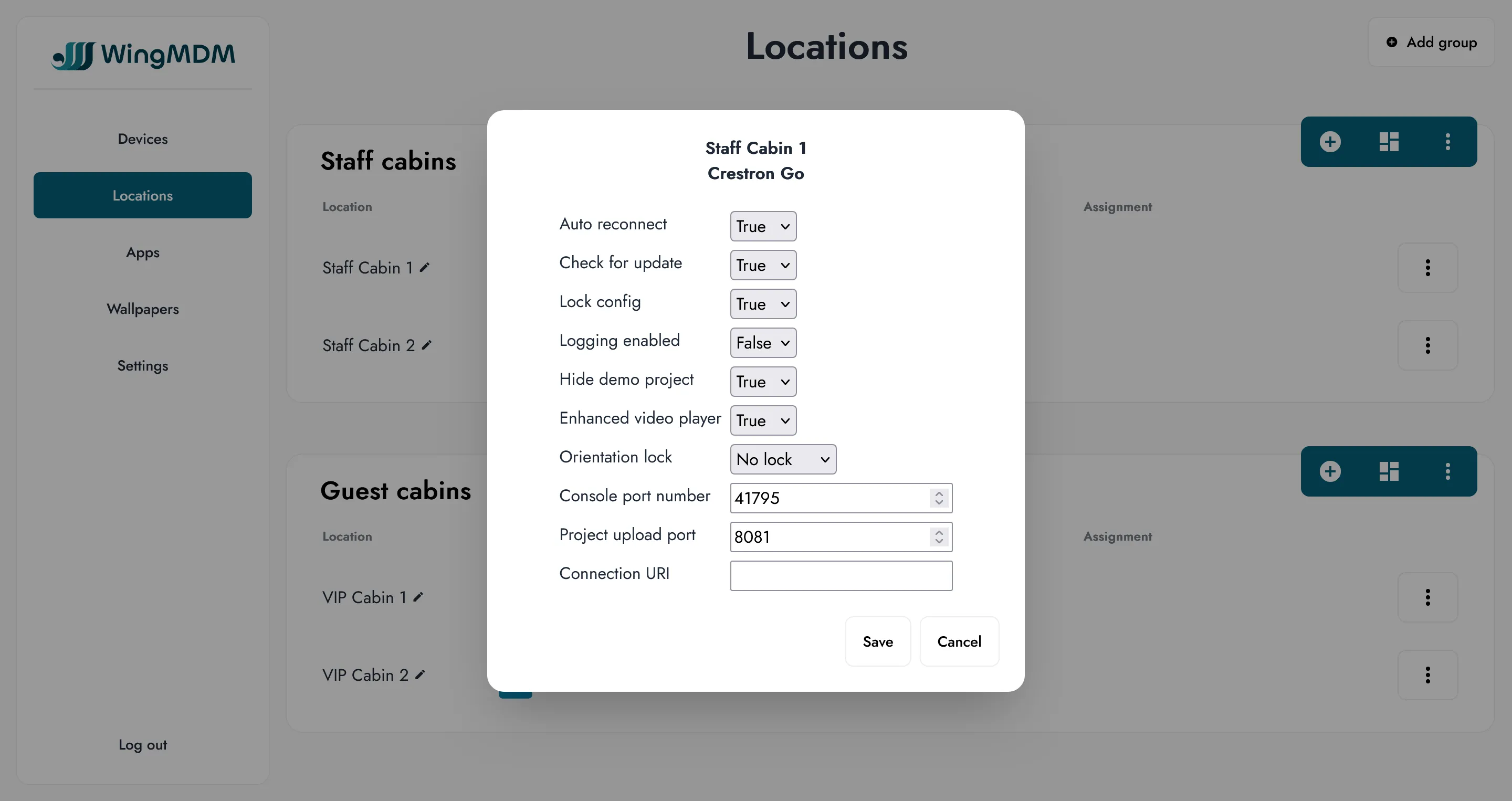
For example, if you’re using Crestron, you can configure the Crestron Go app at each location with the connection URI for that location’s Crestron unit.
App Config requires the app to support being configured - not all apps can be configured this way.
All app config is set on a per-location basis, even if the app has been assigned to a group. This is because App Config is almost always per-location.
Procedure
Section titled “Procedure”To configure an app, go to the locations page, find the specified location row, then click on the app icon on that row.
If the app can be configured in WingMDM, it will have a ‘gear’ symbol next to its icon.
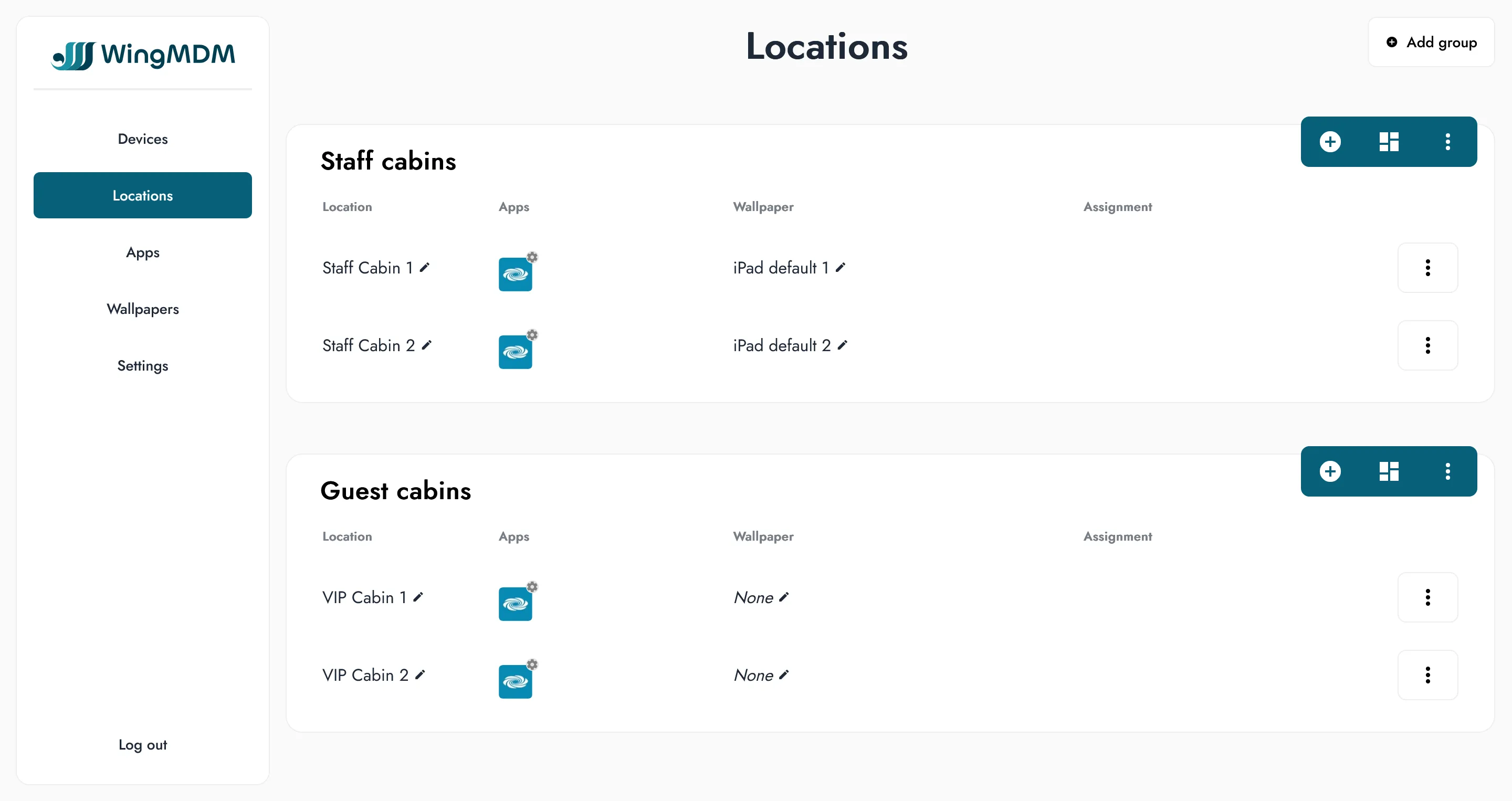
Fill out the pop-up form, and select ‘save’ to commit the changes. You can then go to the ‘devices’ view and apply the changes. When changing configuration on a location, or changing the location for a given device, the changes will be pushed to the device.
When a device is assigned to a new location, any config applied to its apps will automatically be updated.
Supported apps
Section titled “Supported apps”WingMDM has support for managed configuration for the following apps:
- Crestron Go / Crestron Go Tablet
Crestron Go / Crestron Go Tablet
Section titled “Crestron Go / Crestron Go Tablet”The managed app configuration for Crestron Go is documented at Crestron Go and Crestron App: iOS® Enterprise Deployment.
In particular this includes the format of the Connection URI for connecting to your control system.
Other Apps
Section titled “Other Apps”Have an app that supports managed configuration and would like to make it available in WingMDM? Get in touch or fill out our contact form.